
By: Johnathan BellWeb Hosting and Site Reliability Engineer


By: Johnathan BellWeb Hosting and Site Reliability Engineer


Hostinger is a bit new among others on this list. Founded in 2011, Hostinger offers a custom-designed control panel called the hPanel. It was rated the fastest growing brand of 2020 and includes several additional brands including Zyro website builder.
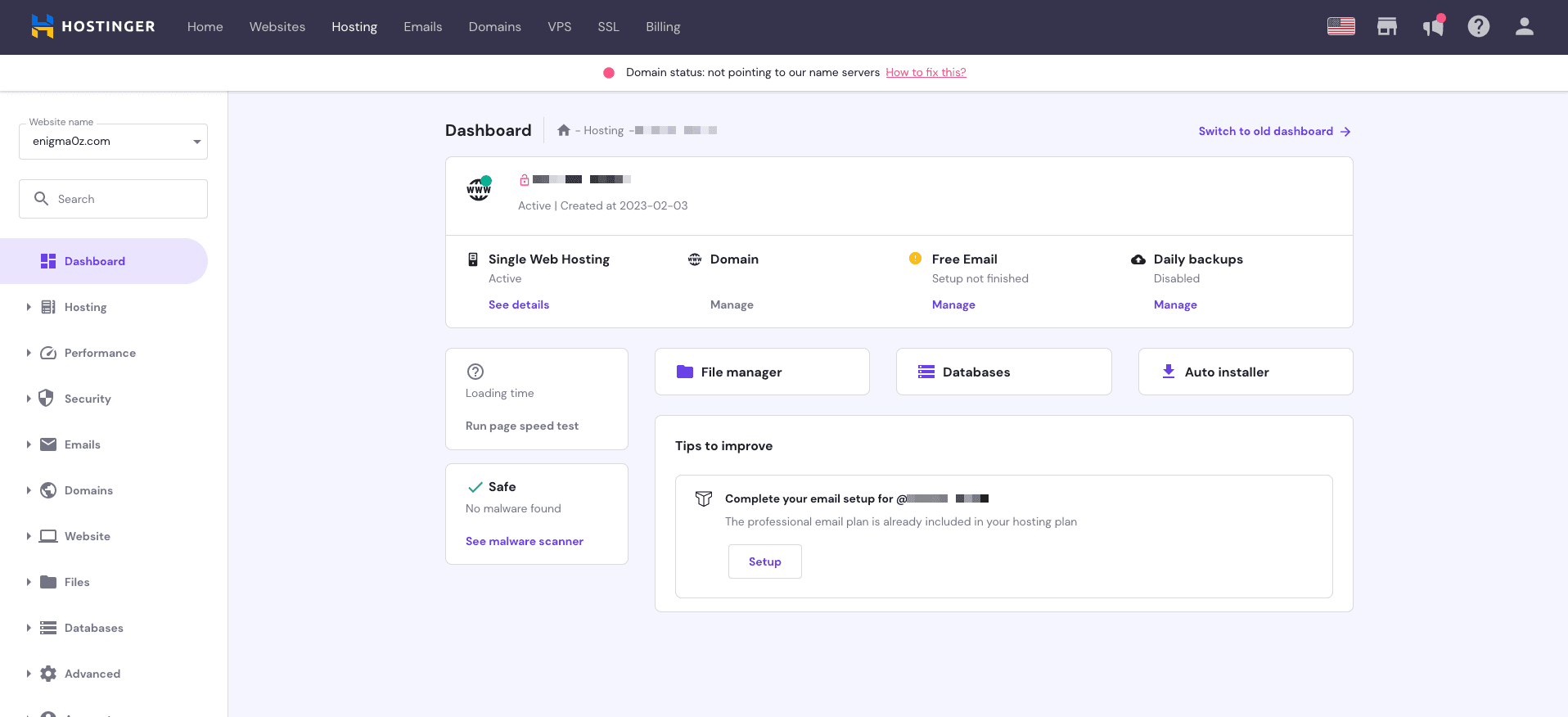
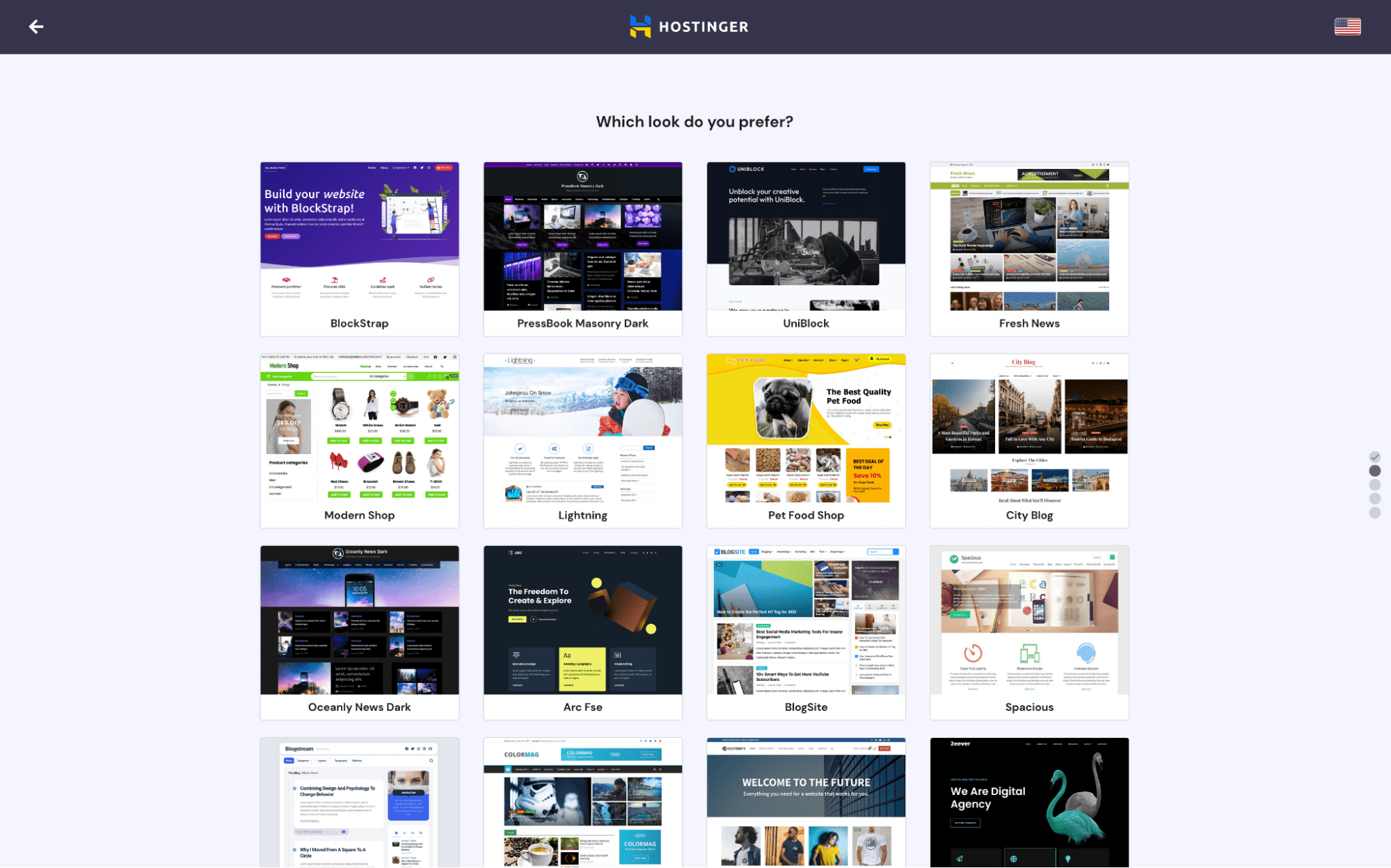
Hostinger offers a great experience from sign-up through setup. It has a custom site builder (at no extra charge) through Zyro, as well as a built-in WordPress installer so you can get started quickly and with a minimum of fuss.
The plans offered at Hostinger span a wide range of capacities, with an exceptional starting size of 50GB. In my testing, the base-level WordPress site performed very well, earning all green marks from Sucuri’s page speed tester, with an impressive average TTFB of 29ms.
Hostinger’s support was also helpful. I had some small challenges getting connected to an actual individual, as the chatbot tried to take over various times. But once I reached a real person, they were helpful and friendly.
Who is Hostinger best for?
If you are seeking a fast site, among the hosting providers I tested using my starter site, Hostinger scored the best at TTFB. This is the most important speed metric for most content sites regarding hosting. It equals how quickly, after receiving a request, your website will respond and is almost entirely the responsibility of your hosting provider and its underlying infrastructure.
Recent upgrades to Hostinger
Hostinger’s roadmap page shows many updates, both completed and planned. It’s clear Hostinger cares deeply about keeping its services updated. Hostinger updated its Secure Shell (SSH) access interface. The control panel sports a modernized file management system, and, even more recently, a built-in page speed testing tool.
Hostinger pricing
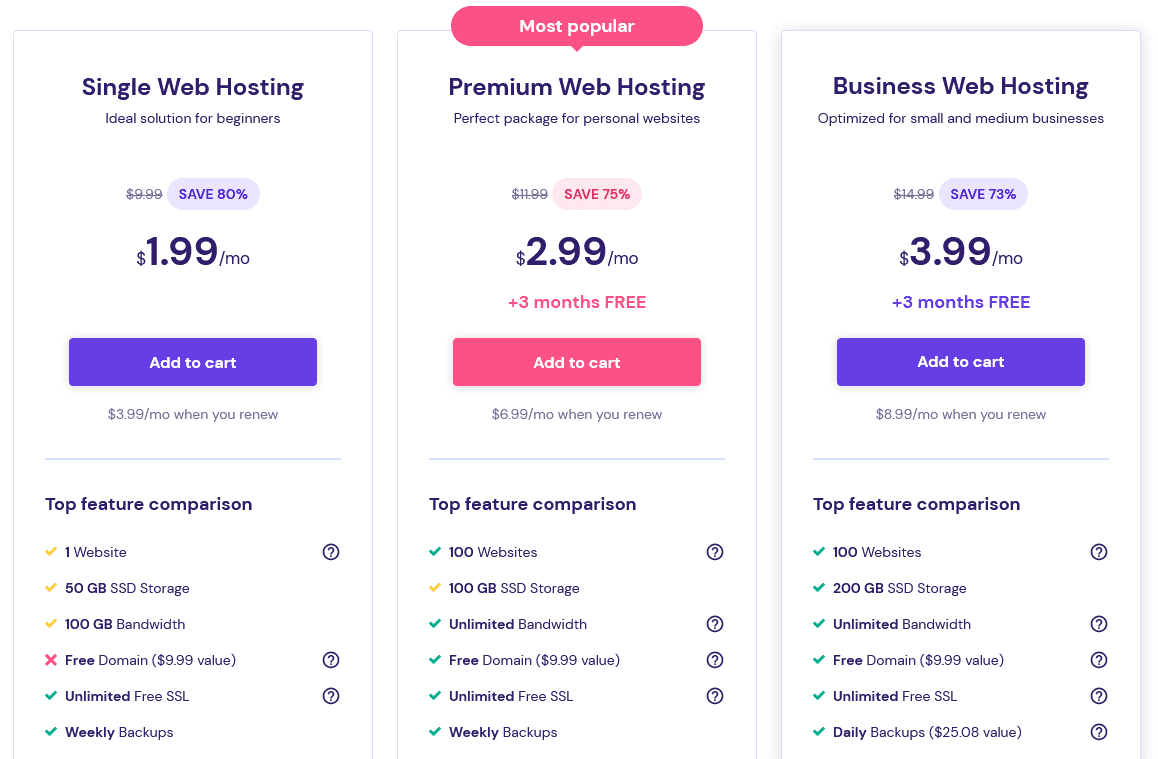
Hostinger’s base-level Single Web Hosting plan starts at $1.99 per month if you purchase a year in advance. VPS 8, the largest hosting plan Hostinger offers, has a renewal cost of $131.99 per month.

SiteGround has been around since 2004, with regional offices in the U.S., Cypress, U.K., Bulgaria, and Spain. It has data centers in most major regions, including the U.S., EU, Asia, and Australia.

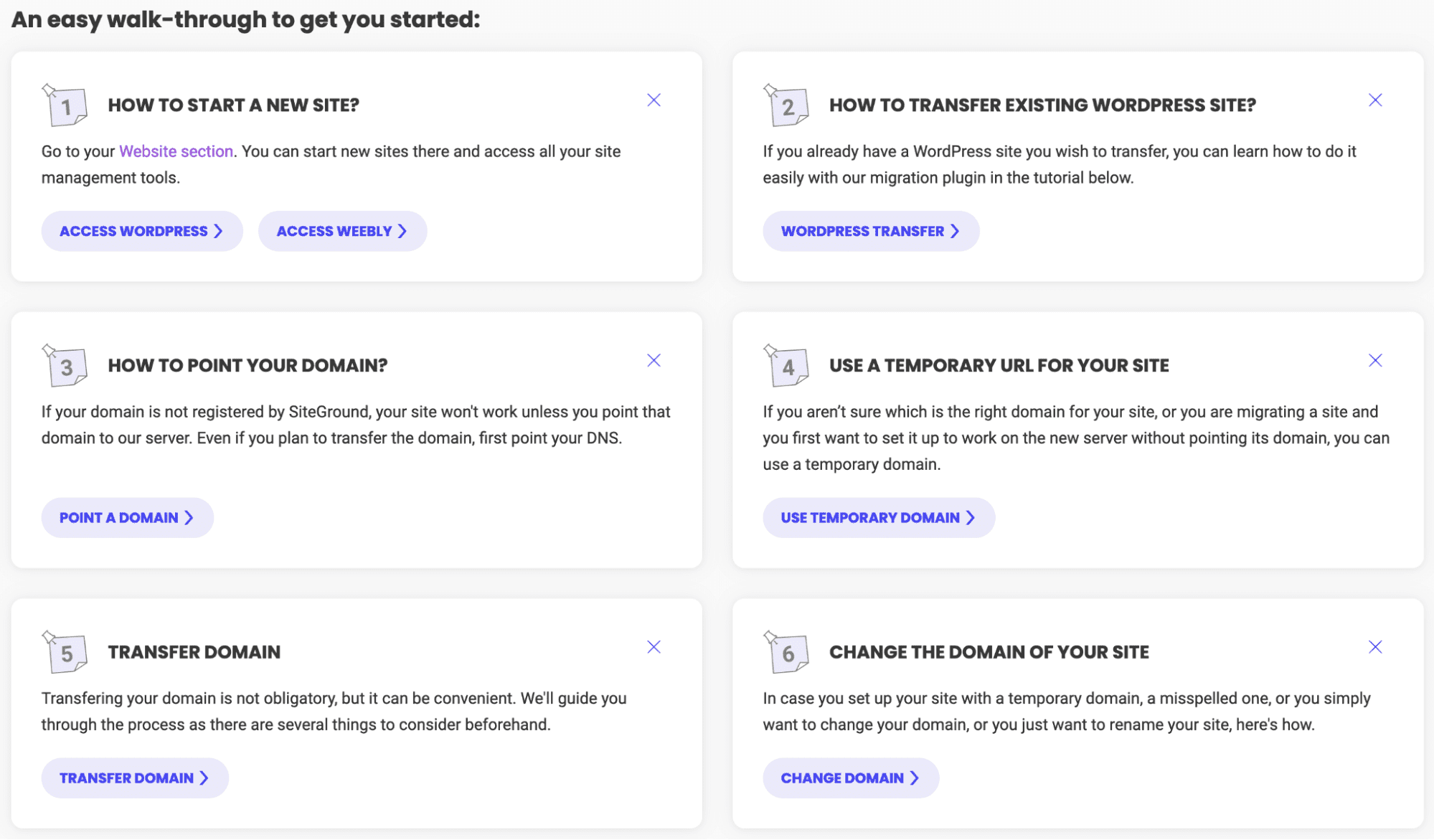
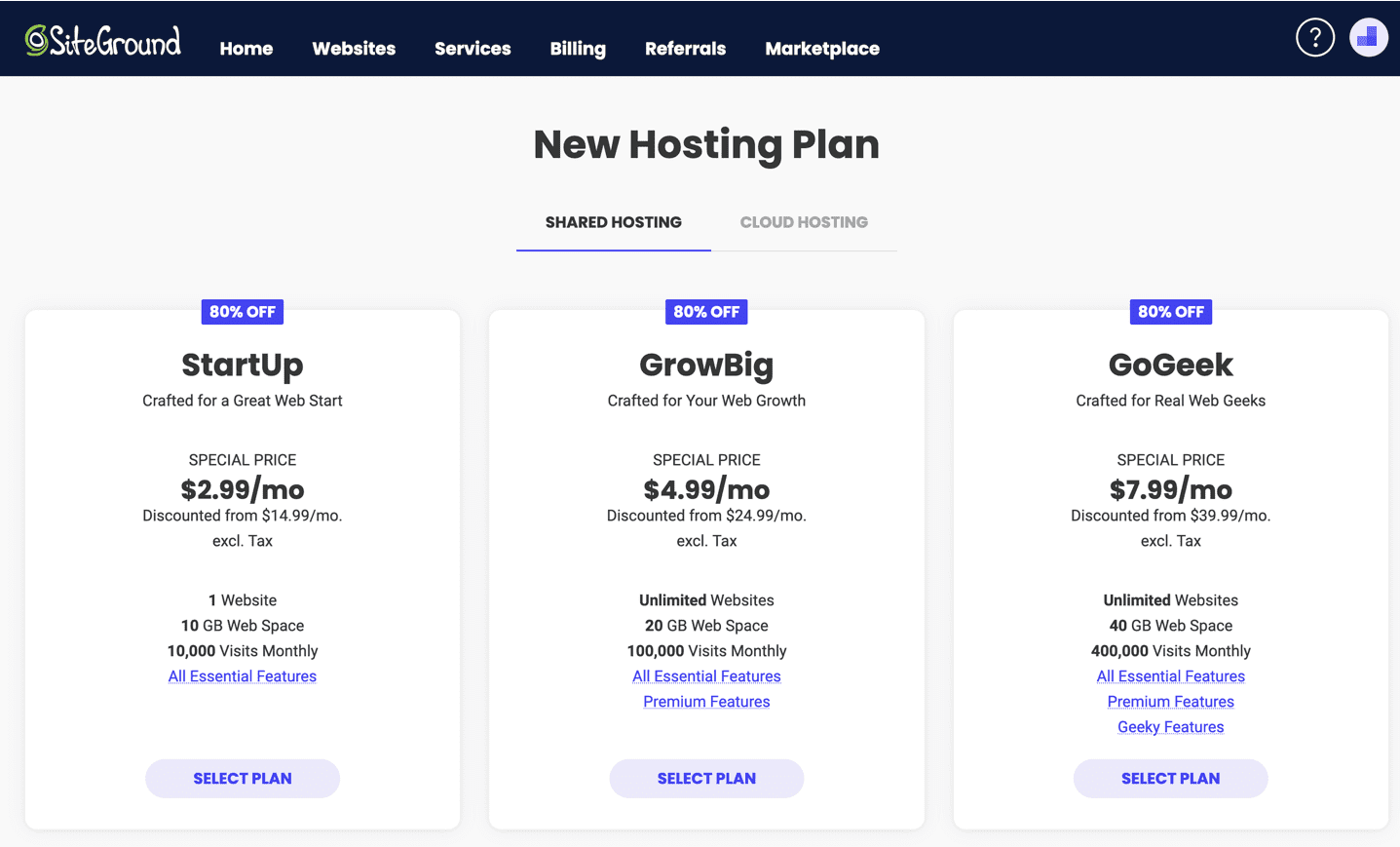
SiteGround’s main offerings are web hosting, WordPress, WooCommerce, and its own site builder for hosting a website.
In testing, I set up a basic shared hosting plan and put a default WordPress installation on it. The setup was easy and straightforward. Speed-wise, I found SiteGround to be above average — faster than most but not the absolute speediest.
Where SiteGround really shines is in its support. I didn’t have any difficulty getting in contact with a technician, and the support staff I worked with was knowledgeable and answered my questions quickly and authoritatively.
Who is SiteGround best for?
If you are a beginner seeking plans that offer all the right features in all the right places, SiteGround might be the best fit. It won’t include features that inflate the price and has add-ons like a built-in CDN, website scanner, and SSL (the latter with a free option). Every plan comes with 24/7 support, and in my experience, this had a quick pick-up time.
Recent upgrades to SiteGround
SiteGround’s blog shows it is constantly working on updates as well as helpful content for customers. It recently made a major update to its built-in CDN, utilizing Google Edge servers and AnyCast routing to ensure your site is as fast as possible. SiteGround also added PHP 8.2 and monthly security reports in December 2022.
SiteGround pricing
SiteGround offers shared, WordPress, WooCommerce, cloud, and reseller hosting plans. The base-level WordPress plan starts at $2.99 per month. And the priciest plan costs $400 per month, but you could max out the cloud configuration tool at $2,090 per month if you wanted to.

DreamHost has been in the web hosting industry since 1997. It offers not only the standard shared, dedicated, and virtual private server (VPS) hosting that most providers on this list do, but managed WordPress and a few cloud-centric services.

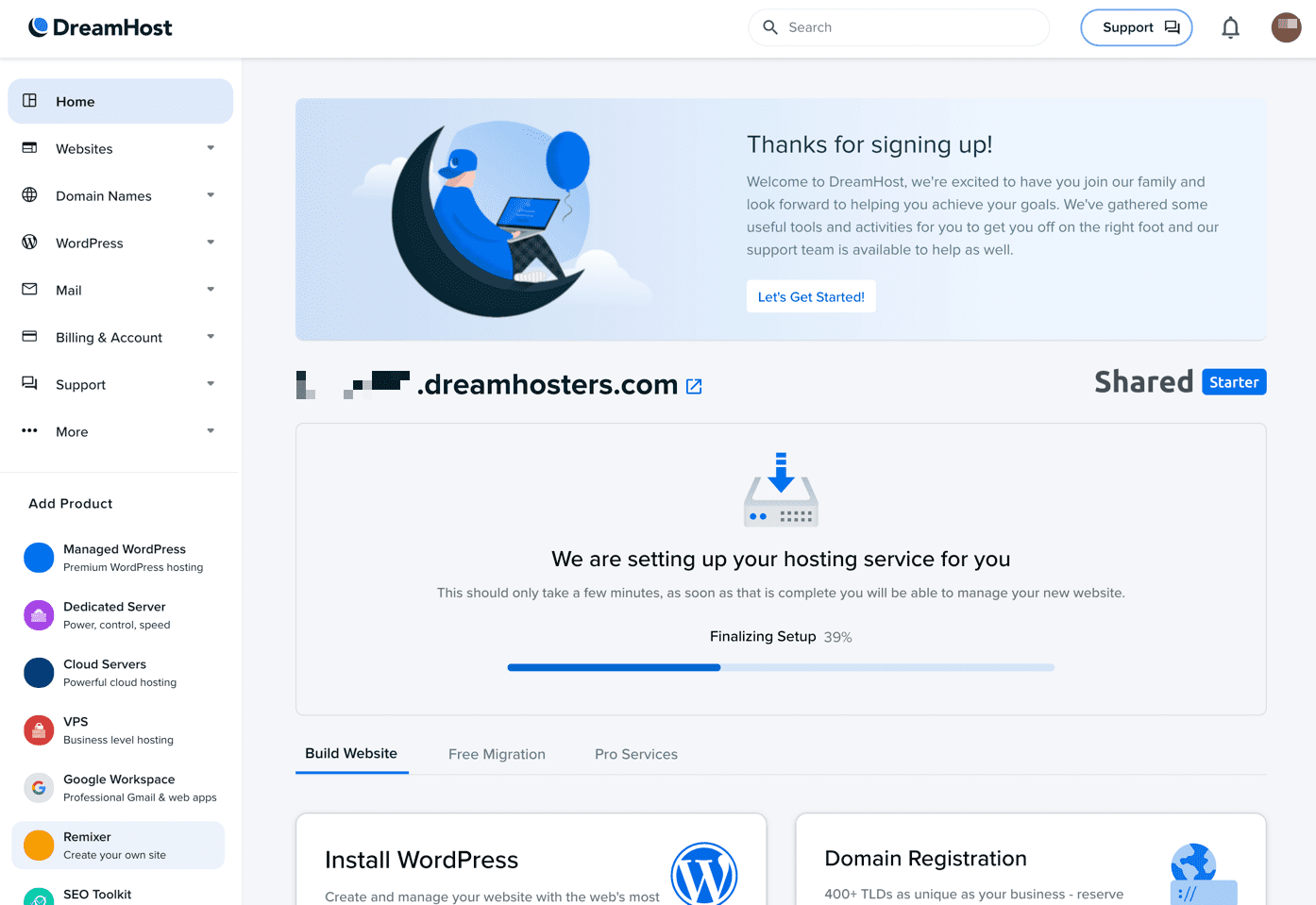
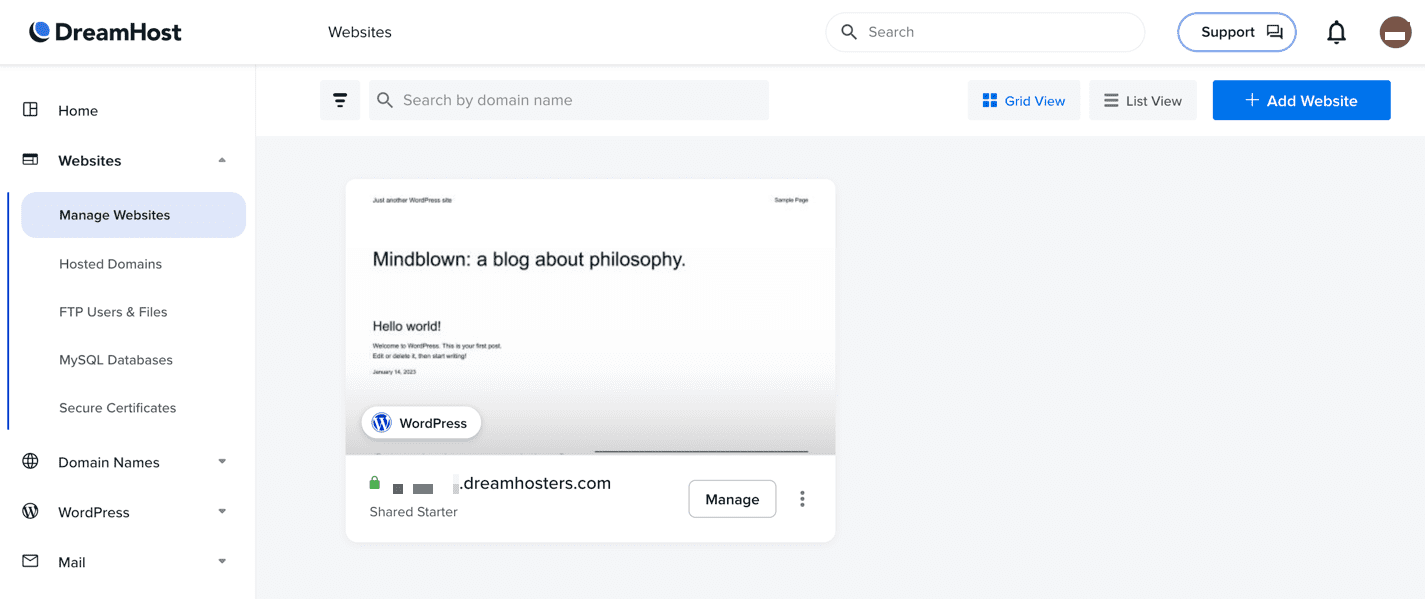
DreamHost’s main product is its web hosting. Based on how the site is laid out and my experience in testing, it specializes in WordPress hosting. You can get a VPS, shared, or dedicated host and install WordPress on it; you could also opt for DreamHost’s managed WordPress hosting.
There are some additional products I did not test but found it interesting that they were offered. In particular, DreamHost’s cloud object storage product and Google Workspace plans could be useful for starting up a business.
In my testing, DreamHost made it easy to get started with hosting a WordPress site. I was a bit disappointed to find that DreamHost didn’t offer installers for any content management platforms other than WordPress — such as Drupal or Joomla — but with WordPress’ popularity, that’s not entirely unsurprising either.
Who is DreamHost best for?
DreamHost has made it clear its focus is WordPress hosting, and with good reason given how popular the CMS is. Add on WooCommerce and you’ve got a full online shop without too much fuss. It took over 30 minutes to reach a support tech on live chat, but when I did, they were very helpful. Consider DreamHost if you want WordPress, and don’t mind waiting for support or doing things a bit more on your own.
Recent upgrades to DreamHost
DreamHost’s announcements channel on its blog shows there were several updates in 2022. Its hosting plans’ FTP control panel and features were updated in October to enhance security and usability, and they changed VPS plan pricing.
DreamHost pricing
A year of DreamHost’s base-level shared hosting Starter plans begin at $4.95 per month. It is the same price for both shared and WordPress hosting, which suggests they’re the same product. On the more expensive side, a year of the biggest dedicated server you could purchase from DreamHost will cost you $379 per month.

Cloudways (by DigitalOcean) is unique in that it is a multi-cloud webhost. You can set up a website on DigitalOcean, Vultr, Linode, Amazon Web Services (AWS), or Google Cloud. Cloudways has been in the hosting business since 2012.

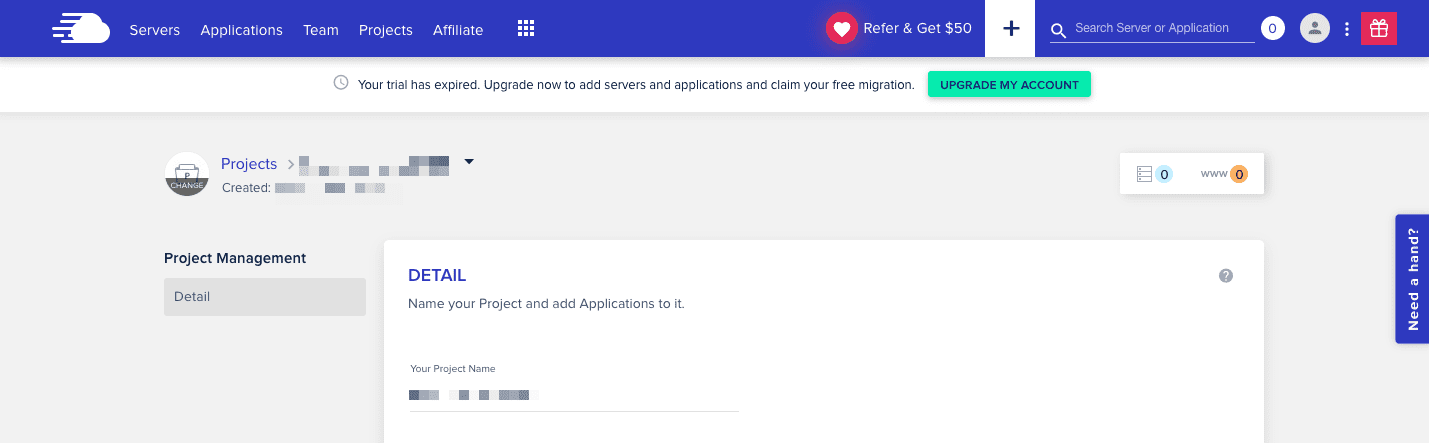
Going to the cloud is difficult, so entire businesses and companies specialize in migrations for their clients — moving websites, software, and infrastructure to the cloud of their choice. Cloudways makes it easier by enabling you to deploy your website on any of five different clouds: DigitalOcean (which owns Cloudways), Vultr, Linode, AWS, or Google Cloud.
Cloudways’ prices are 100% transparent. There is no introductory period, and the price listed is the amount you pay. All plans come with a three-day free trial without requiring a credit card — something unique in the industry.
For my testing, I chose a base-level plan on DigitalOcean (the default selection for creating a new plan) and put a default installation of WordPress on my new server. In my testing, the site was not as fast as some of the others on this list, but that cost in speed may be worth the added flexibility.
Who is Cloudways best for?
If you’re curious about cloud hosting, but don’t want to handle the intricacies of setting up a cloud instance yourself, Cloudways may be the web host for you. Offering hosting through five cloud providers allows you to set up your website on the hosting provider of your choice while retaining the value-add that Cloudways provides.
Recent upgrades to Cloudways
Cloudways was recently acquired by DigitalOcean, which explains the default cloud selection when purchasing a Cloudways plan. The update blog shows several recent improvements, including software updates, integrating new data centers, and creating a new e-commerce starter pack.
Cloudways pricing
Cloudways prices differ based on which cloud you pick and what level of hosting you choose. Plans start at $10 per month and go up to $274.33 for the most expensive hosting plan on AWS.

Nexcess is a hosting provider focused on managed services rather than shared or VPS hosting. The Liquid Web family of brands — operating for over 20 years, includes Nexcess, Liquid Web (VPS hosting), and StellarWP (WordPress software and tools).
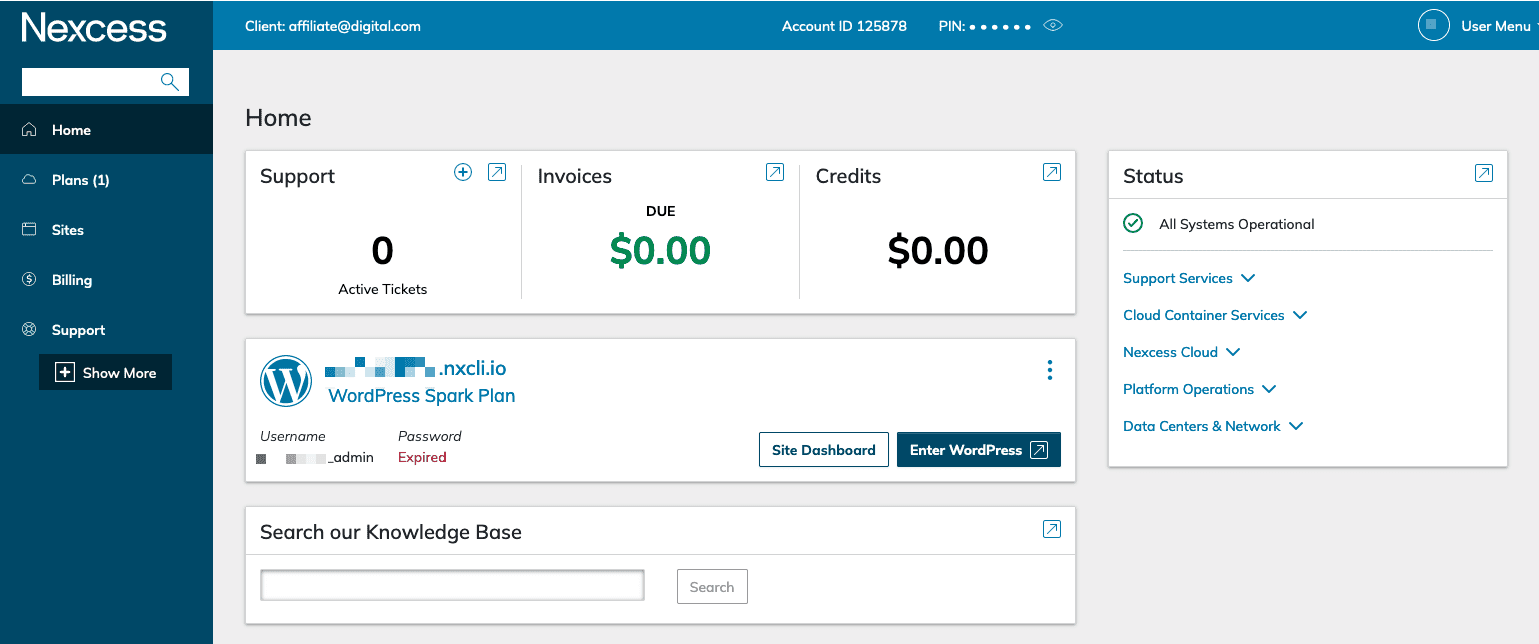
With a managed service provider such as Nexcess, you don’t need to worry about a lot of the minutiae of managing a server. Getting a WordPress site is as simple as a few clicks, and Nexcess handles all of the additional behind-the-scenes details.
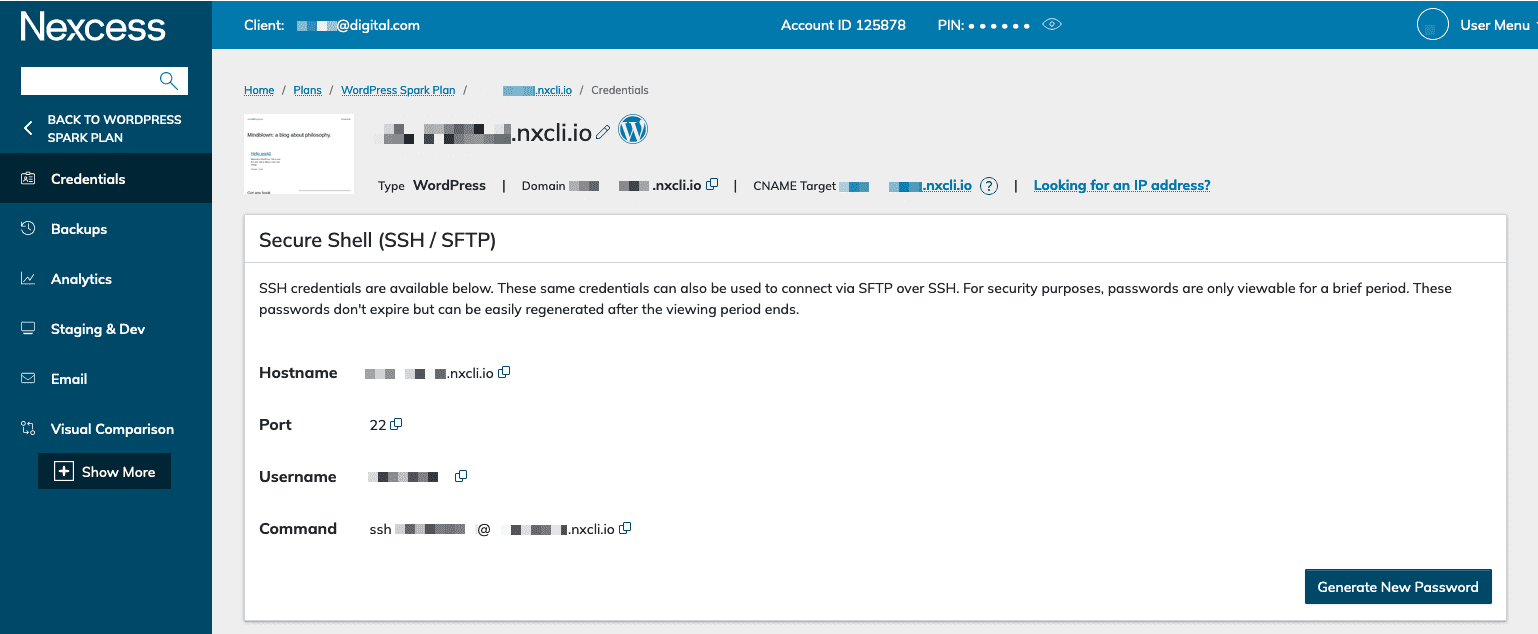
Setting up a site and accessing it was simple and straightforward. Nexcess offers a clever way of securing your admin password(s); they are only viewable a certain number of times, after which the password must be regenerated. The generated passwords are all high quality and secure, which was a nice touch.
In my testing, a WordPress site on Nexcess’s base-level Spark plan had a good TTFB of about 275ms. I reached out to Nexcess for some account support when my admin password expired and there was little wait and the support staff fixed everything.
Who is Nexcess best for?
Its specialty is managed services. If you want WordPress, Magento, Drupal, or any of the other managed services Nexcess provides, give them a try. Starting prices are a bit higher than others on this list, but excellent support, speed, and capabilities more than make up for it.
Recent upgrades to Nexcess
The blog and newsroom have several guides to help you put together the best website you can and articles outlining what Nexcess has been up to as a company. Most recently, Nexcess is providing object cache pro across its WordPress and WooCommerce plans. This is an in-memory cache designed to speed up your website.
Nexcess pricing
Nexcess has plans for WordPress, Magento, WooCommerce, and several other CMSes. The base-level Spark WordPress plan is $19 per month, and a top-end Drupal XXL or Craft CMS XXL plan will cost $849 per month.

GreenGeeks’ unique focus since inception has been eco-friendly hosting. For every website hosted, the provider purchases three times the power your website will use in wind credits so you can count on your website being sourced with renewable energy.

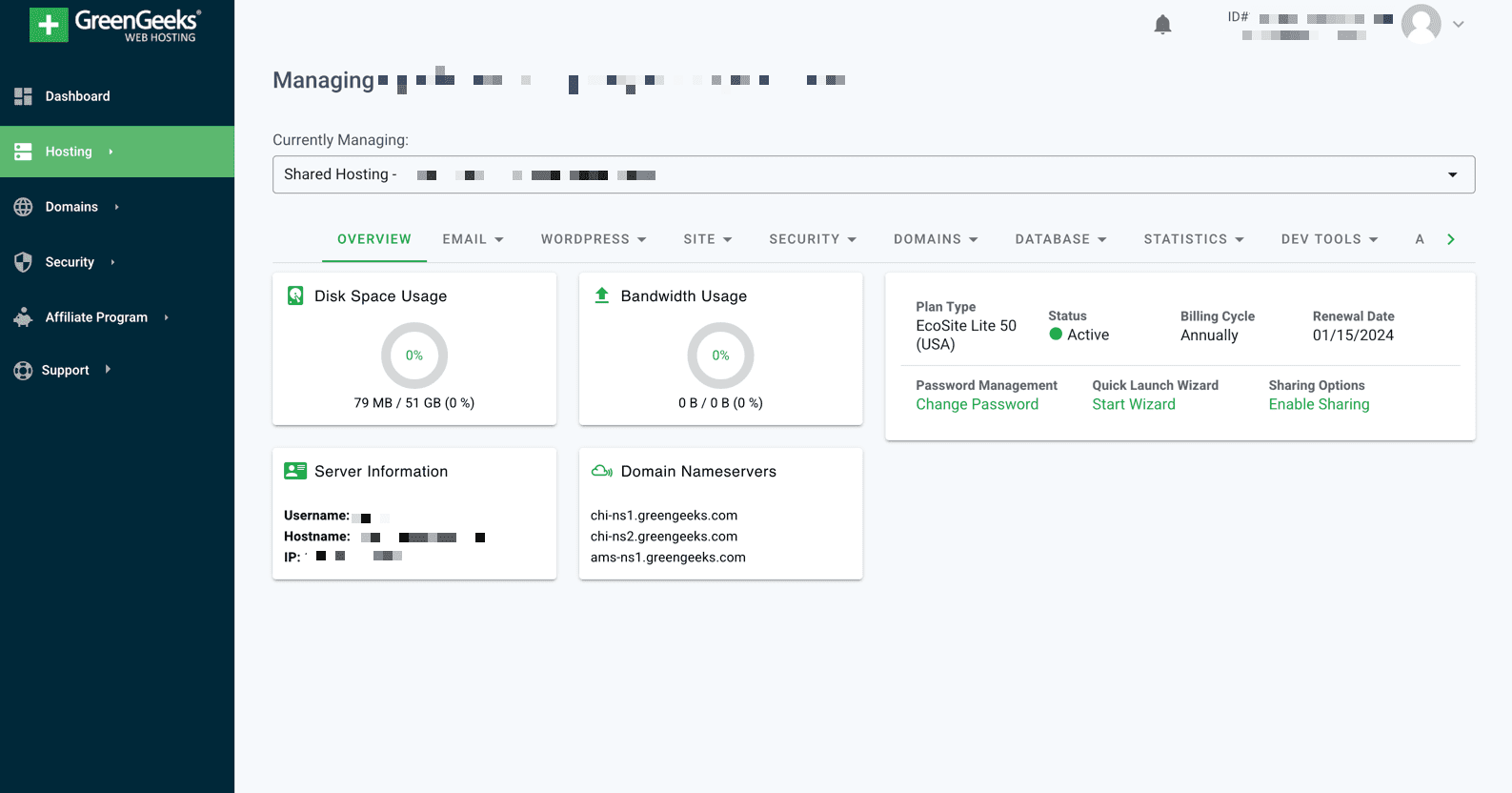
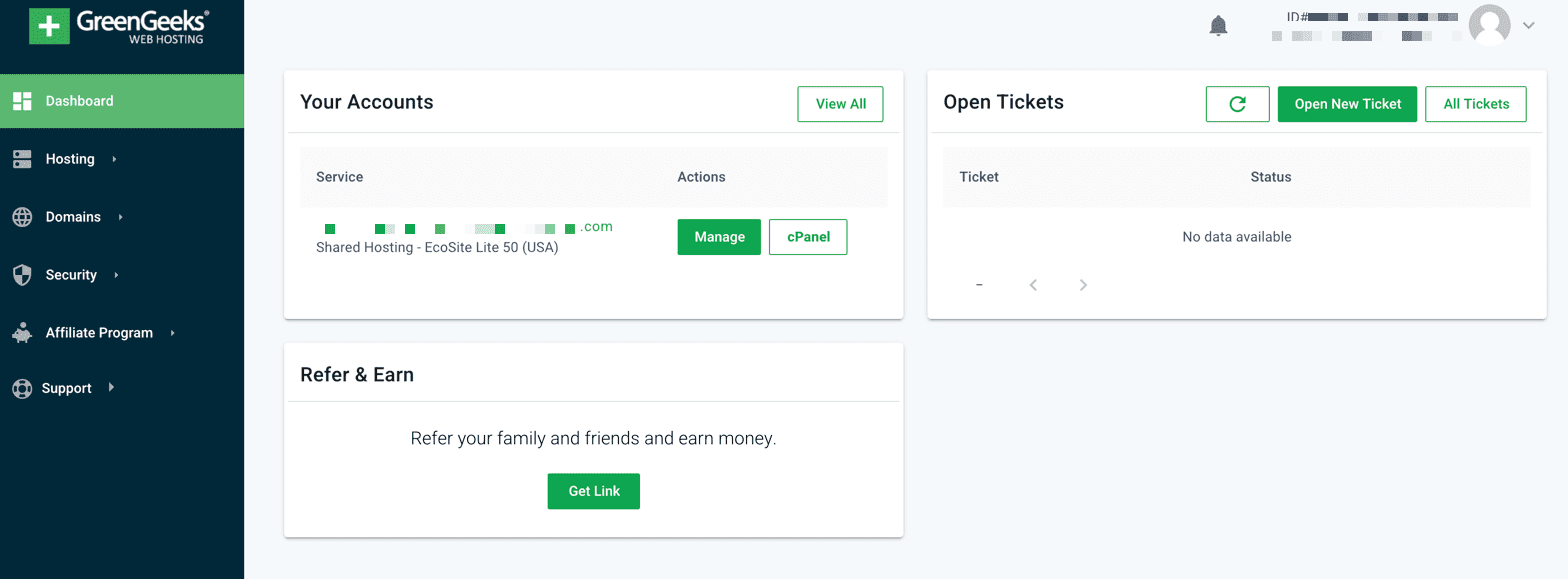
GreenGeeks’ focus on being eco-friendly doesn’t overshadow the hosting products it offers. It has the same standard set of hosting plans as most providers on this list: VPS, shared, and managed WordPress.
But somewhat unique on this list is that GreenGeeks offers reseller hosting. You can sell this provider’s hosting to other customers, typically adding on some value as a website designer or engineer but utilizing GreenGeeks’ infrastructure. This type of hosting is perfect for web hosting entrepreneurs that want to focus on site design and client management rather than the details of managing web servers.
When I tested GreenGeeks, there were a few odd snags but nothing major. First, shortly after I purchased a plan, the setup failed with an error message that my account was being reviewed by the sales team. But after a quick email later, I was off to the races. Also, when accessing my site, my password was not initially set. I contacted support, and they rapidly resolved the issue and got me access.
Who is GreenGeeks best for?
GreenGeeks is an eco-friendly operation, so if that matters to you, it should be among the first you consider. Because it offers reseller hosting as well, if you’re a web entrepreneur, you may want to go with this provider. More generally, GreenGeeks had the best service level agreement (SLA) provisions of any provider on this list. The company clearly stands by its product, so if reliability is your top priority, try GreenGeeks.
Recent upgrades to GreenGeeks
GreenGeeks added AlmaLinux to its VPS hosting in preparation to stop offering CentOS as it reaches the end of its lifecycle. I did a lot of digging but couldn’t find any recent additional updates by GreenGeeks.
GreenGeeks pricing
All of GreenGeeks' shared plans include the first year at a discount, after which it renews at a higher cost. The introductory price for the base-level Lite plan is $2.95 per month, purchased yearly. On the opposite end of the spectrum, the biggest VPS hosting you could purchase at GreenGeeks will cost $109.95 per month.

A2 Hosting is a web hosting company that started in Ann Arbor, Michigan. It has been in the business for over 20 years and offers a range of plans suitable for any size website.

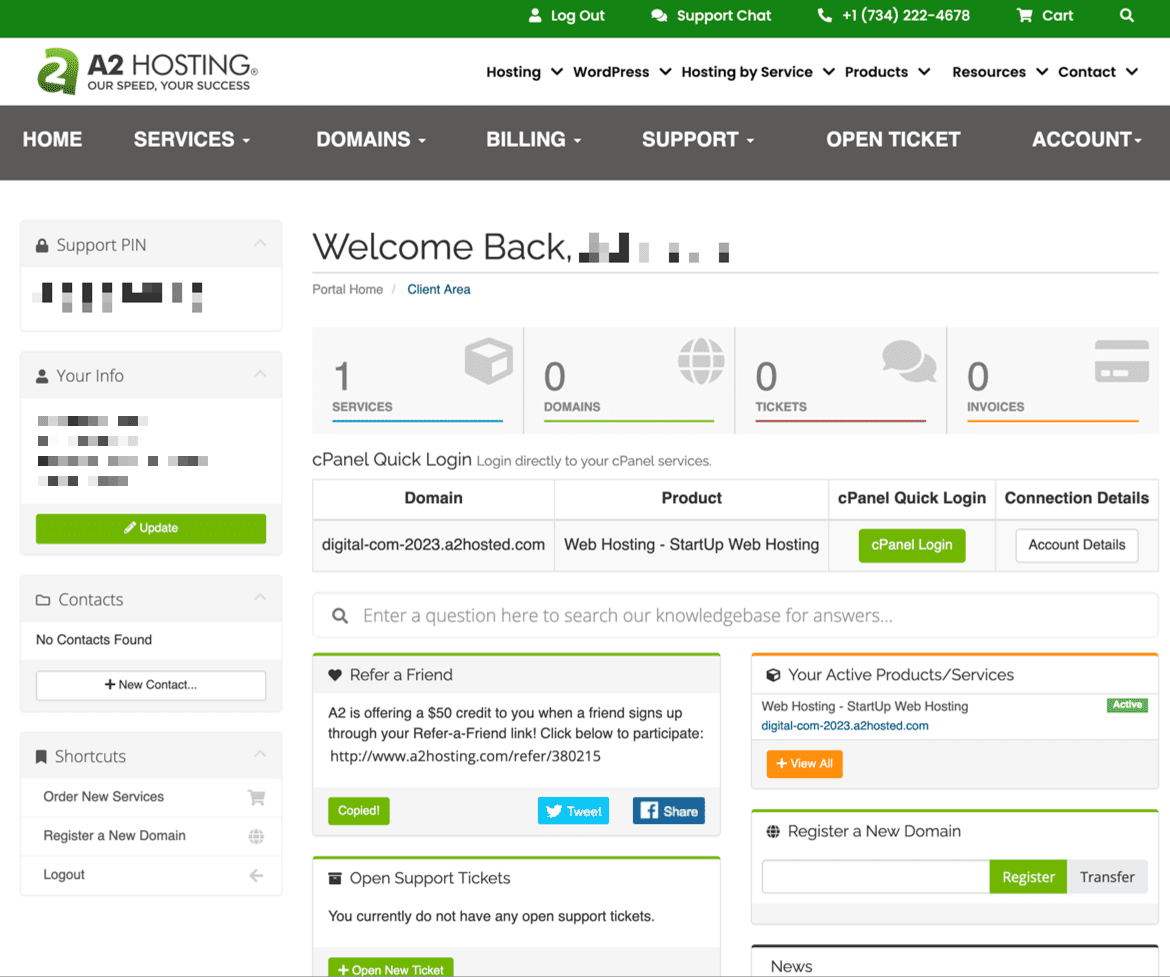
A2 Hosting offers a wide range of options, from single website shared hosting starting at $2.99 a month up to top-of-the-line dedicated server hosting, in both managed and unmanaged varieties.
One of A2’s main marketing points is its Turbo hosting, claiming to be up to 20 times faster. Turbo servers are provisioned with higher-spec hardware: quicker CPUs, more memory, and faster solid-state disks (SSDs). But some other features (such as HTTP/2 and HTTP/3, and the LiteSpeed Apache Server) are also excluded from plans that don’t include Turbo.
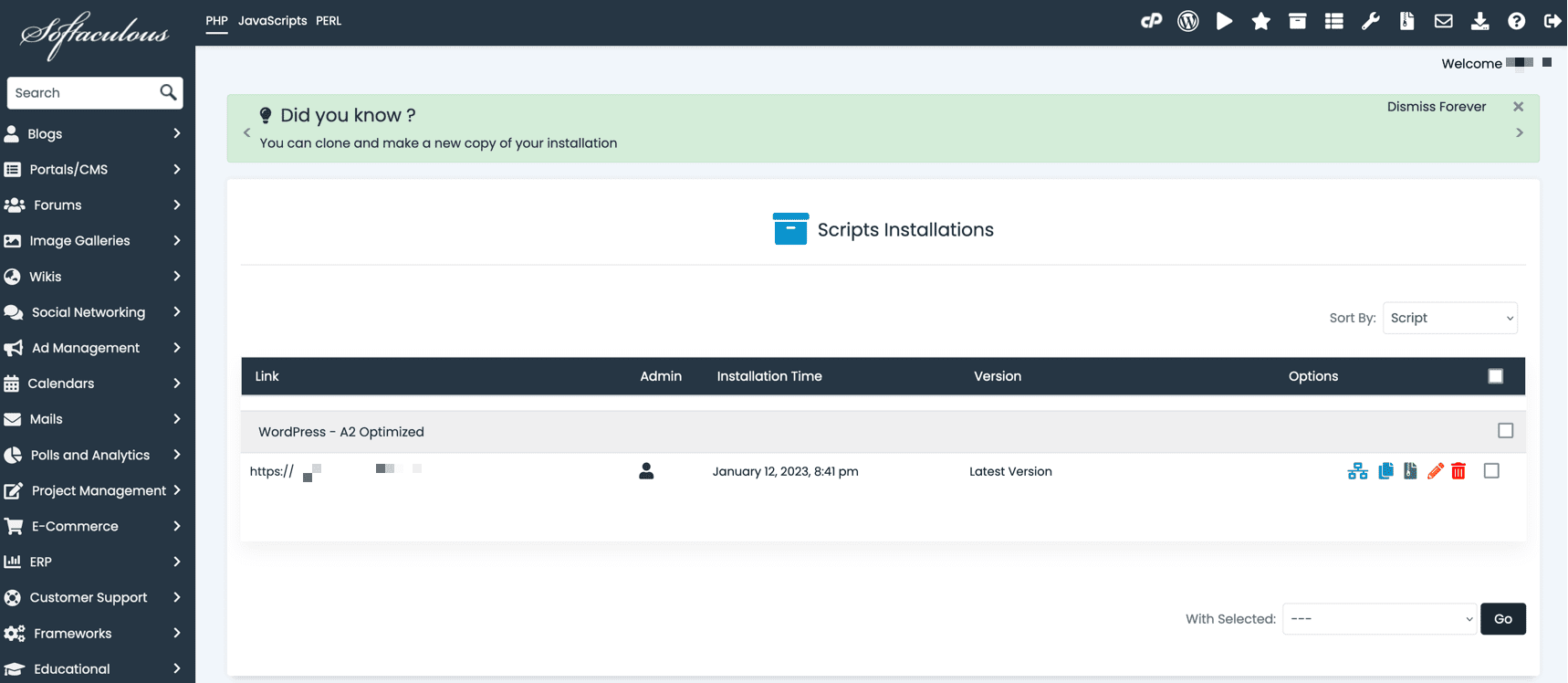
I set up on Startup, A2’s base-level shared hosting plan and added WordPress via the provider’s WordPress installer. After having some issues getting set up, I reached out to support, which was a little difficult, but once I connected with someone, they quickly resolved the issue.
Who is A2 Hosting best for?
What struck me most when reviewing A2 was that many hosting provider customizations are offered on all products. A2 has an optimized WordPress plug-in, built-in speed testing, and several additional ways to tailor things other hosting providers don’t have. This makes A2 ideal for someone that wants a one-stop-shop for all their hosting needs, be it a small local business or an individual blogger.
Recent upgrades to A2 Hosting
A2 Hosting’s technical staff is continually ensuring its servers are running on the latest hardware and software. It recently upgraded to PHP 8.1 and implemented enhanced security on WordPress, with a combination of the WordPress toolkit, Jetpack, and the A2 Optimized plug-in.
A2 Hosting pricing
A2 Hosting has several pricing tiers across its product line. If you purchase a whole year in advance, shared hosting on A2’s Startup plan starts at $2.99 per month for the first year. At the high end, you could pay as much as $749.99 per month for top-of-the-line dedicated hosting.

IONOS is a web hosting company with a more than 30-year history. It was originally 1&1 in the ‘80s and is headquartered in Germany. IONOS provides every customer with a dedicated customer service agent, something unique among service offerings.
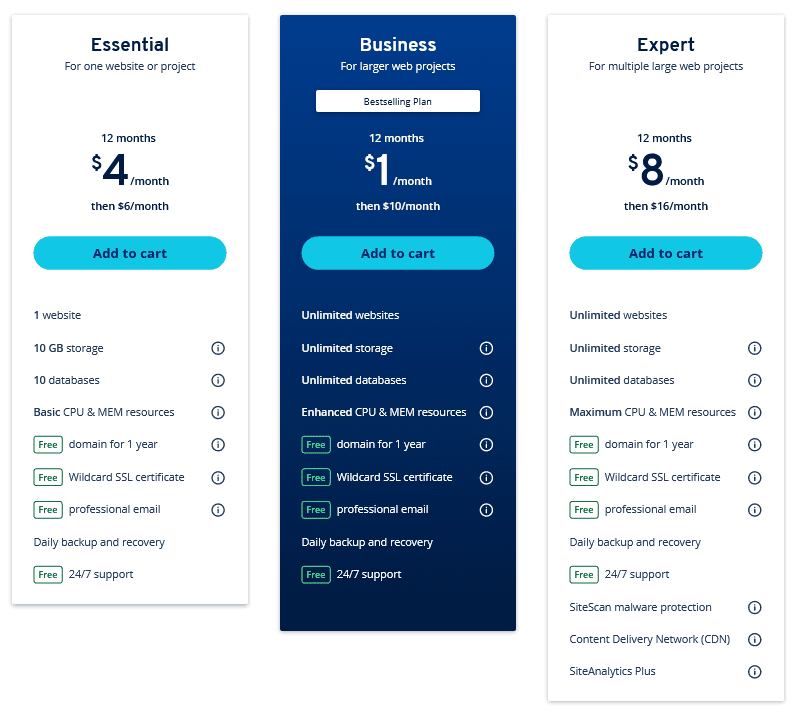
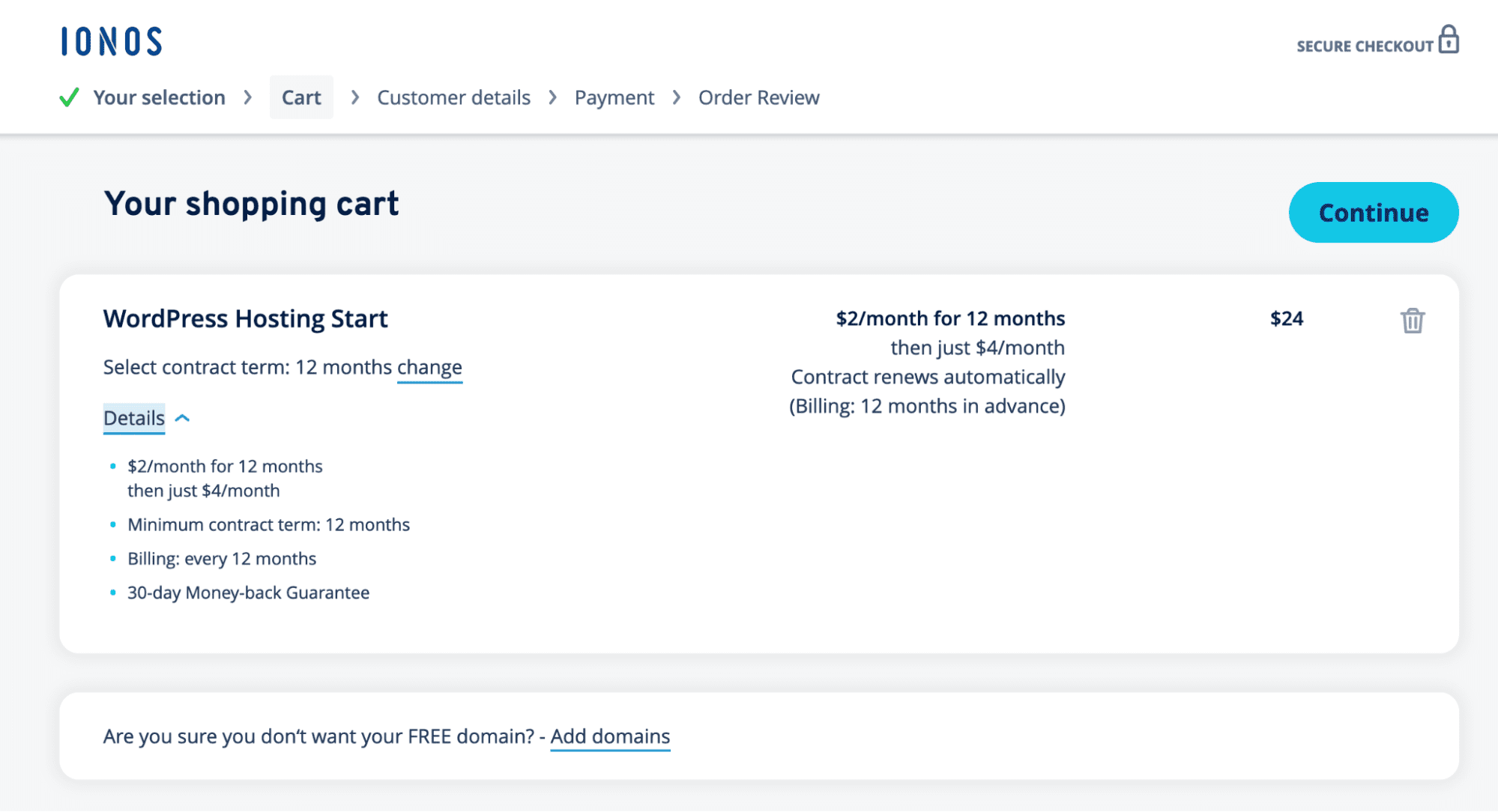
IONOS provides every customer with their own dedicated service agent. This was a bit of a surprise to me upon signing up, but I appreciated the additional care. My service rep was friendly, and shortly after creating my account, they set up a phone call to introduce themselves and discuss my hosting needs.
It was also unexpected that IONOS offers Windows ASP.net hosting, which is becoming an industry rarity. When purchasing my plan, I appreciated that IONOS’s pricing pages show the renewal prices clearly. Introductory prices are still listed first, but those and renewal prices for all plans are clearly displayed as what they are, rather than calling the introductory price a “sale,” for instance.
Once I got access to my hosting, I found IONOS’s control panel to be well laid out and easy to access, and it made setting up my testing site a breeze. When testing, response times were slower than I would have liked, with an average of 744 ms for TTFB. Remember that most of the slowness came from non-U.S. testing locations, though.
Who is IONOS best for?
Its personal touch approach to customer support left a lasting impact on me and if it is something you’d benefit from, then IONOS may be the best hosting provider for you.That type of customer service is unique in the industry overall, at least until you spend a lot of money. It’s nice some companies aim to provide an elevated customer service experience.
Recent upgrades to IONOS
IONOS, originally just 1&1, merged with ProfitBricks in 2018, becoming 1&1 IONOS. Then, in 2020, the 1&1 was dropped and the brand IONOS was officially born. In 2021, IONOS acquired the software hosting company WE22, which specializes in website-building software.
IONOS pricing
IONOS’s Business plan starts at $1 a month for a year, and its largest plan will run you $160 per month. There are various plans in between, and I was surprised to find the least expensive plan IONOS is a WordPress plan rather than a more generalized shared hosting plan.


Founded in 2001, InMotion is well known for its SSD hosting, in particular. InMotion has its headquarters in Virginia Beach, Virginia, and offices in Los Angeles, California, and Denver, Colorado.
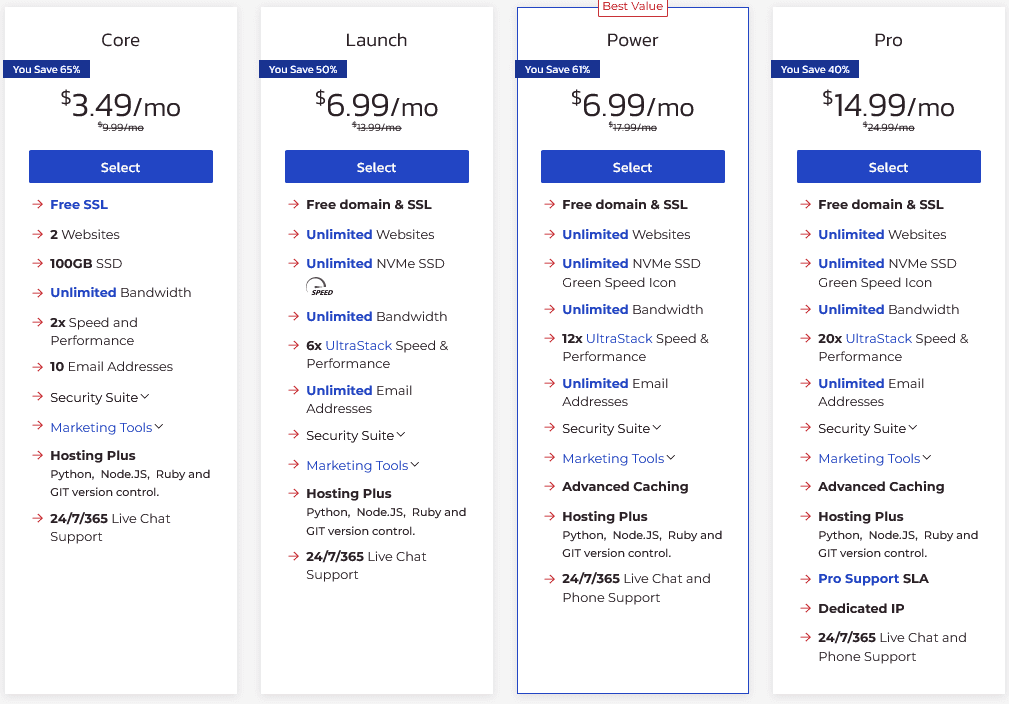
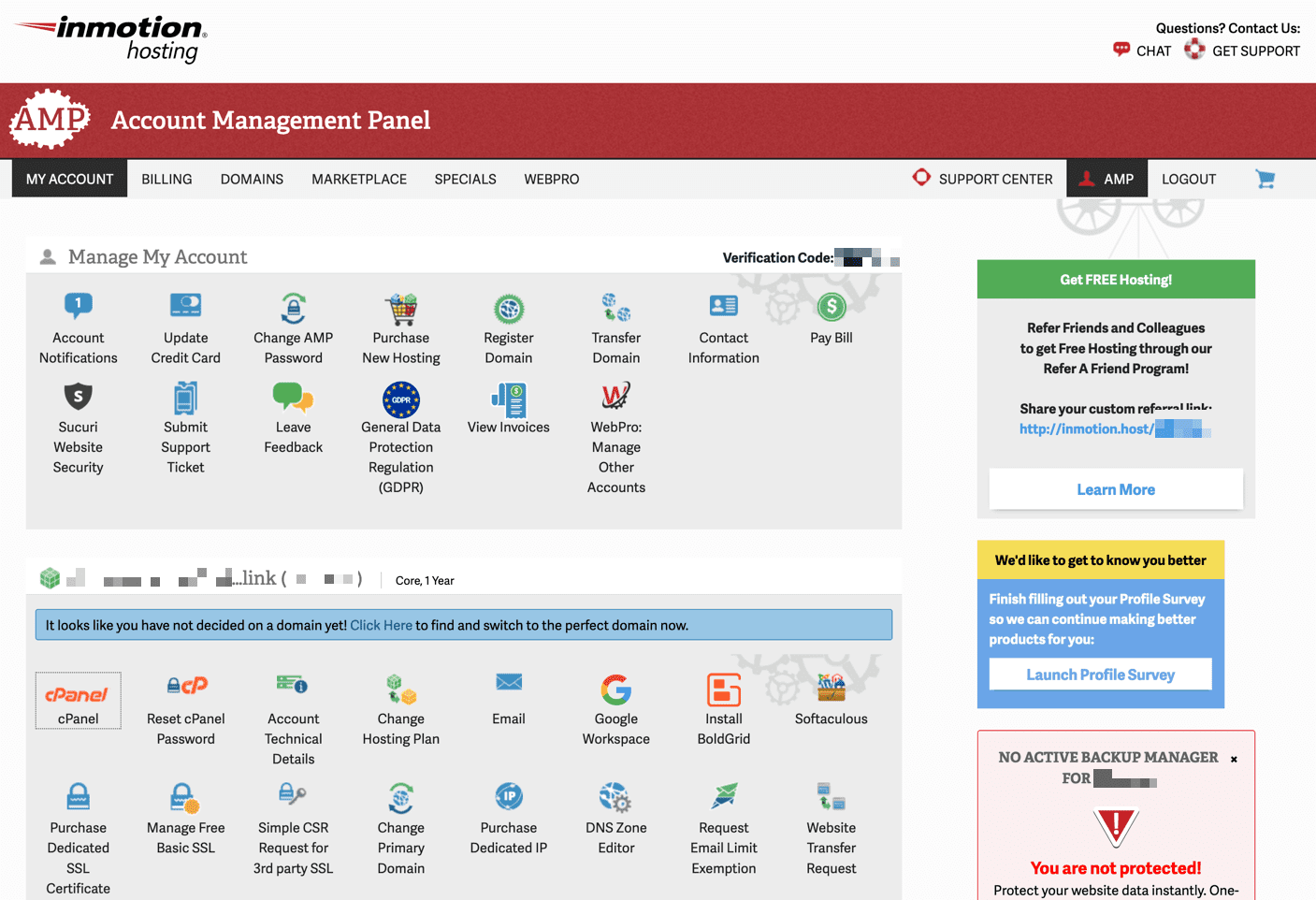
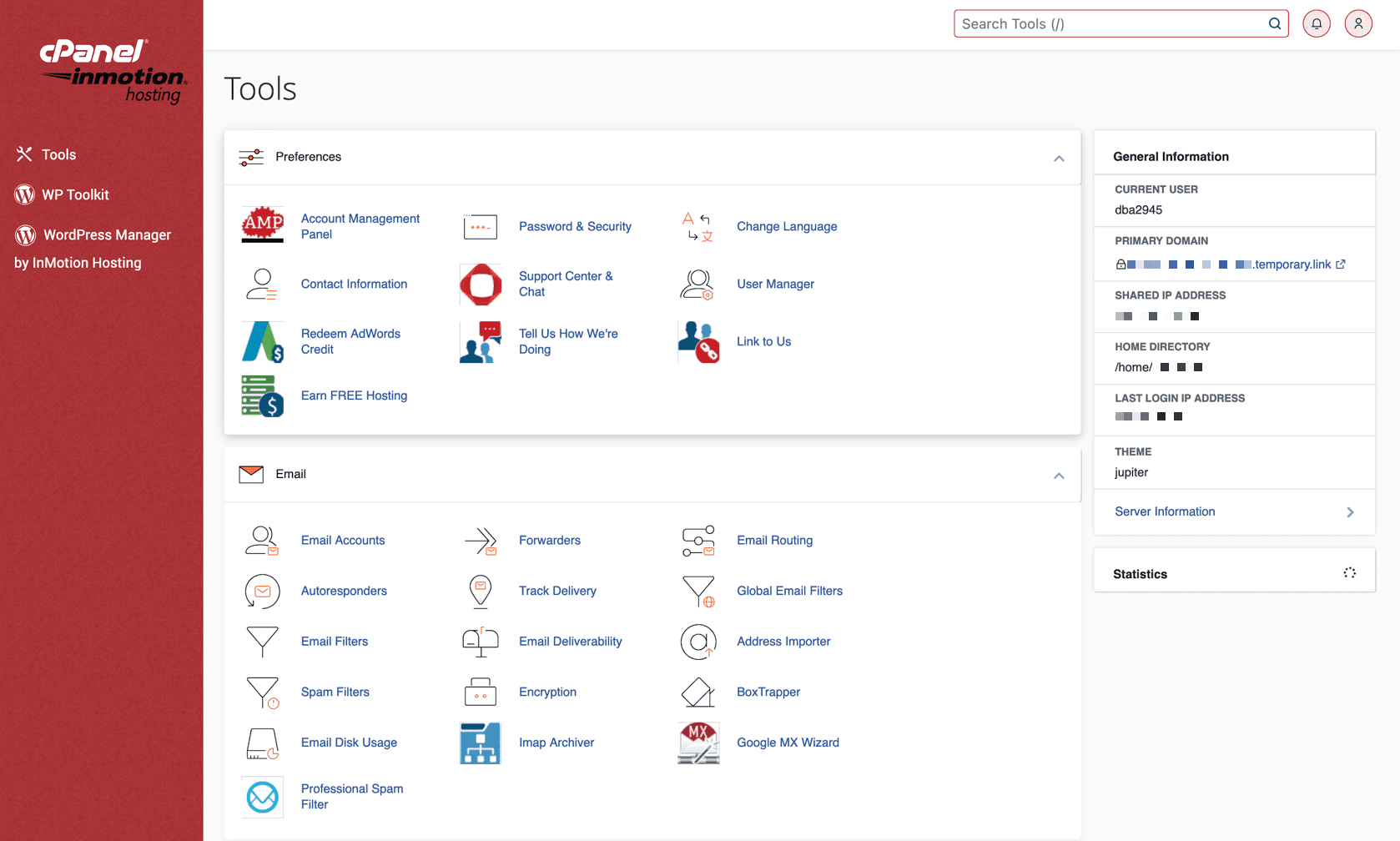
InMotion offers U.S.-centric hosting from two data centers — a West Coast one in Los Angeles, California, and an East Coast data center in Ashburn, Virginia. Most of InMotion’s plans come with a 90-day money-back guarantee. Those that don’t (dedicated servers and monthly-billed VPSes) still include a 30-day money-back guarantee.
For WordPress hosting, InMotion includes its exclusive Speed Zone technology, which looks to be either a built-in CDN or a similar feature.
When I reached out to support, there was a bit of a wait, but the queue status was displayed. I started at position 15 and waited for about 30 minutes. When I was connected to someone, they were helpful and responsive.
Who is InMotion best for?
If SSD storage is important to you, all of InMotion’s hosting plans come with it and most include non-volatile memory express (NVMe) SSD storage. These are the current industry-leading technologies for fast storage on servers, and seeing that InMotion offers some form of SSD storage on all plans is a great plus.
Recent upgrades to InMotion
The InMotion blog has several tips, tricks, and tutorial articles with information to make the best use of your hosting plan. It debuted new dedicated server hosting plans in 2023 and has an Amsterdam data center in the works.
InMotion pricing
InMotion has plans that range from inexpensive shared hosting to fully dedicated servers. The base-level hosting plan starts at $3.29 per month with a one-year term, and the top-of-the-line dedicated hosting will set you back $739.99 per month.

Bluehost is a well-known web hosting company with many sites running on its servers. Formed in 2003, it has earned a well-deserved reputation among the best web hosting services online.

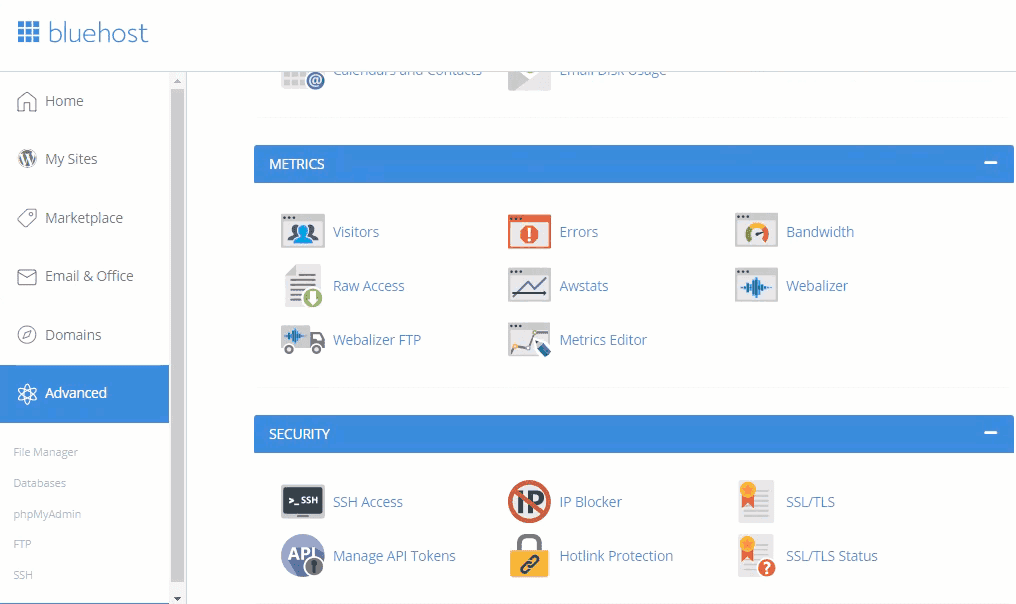
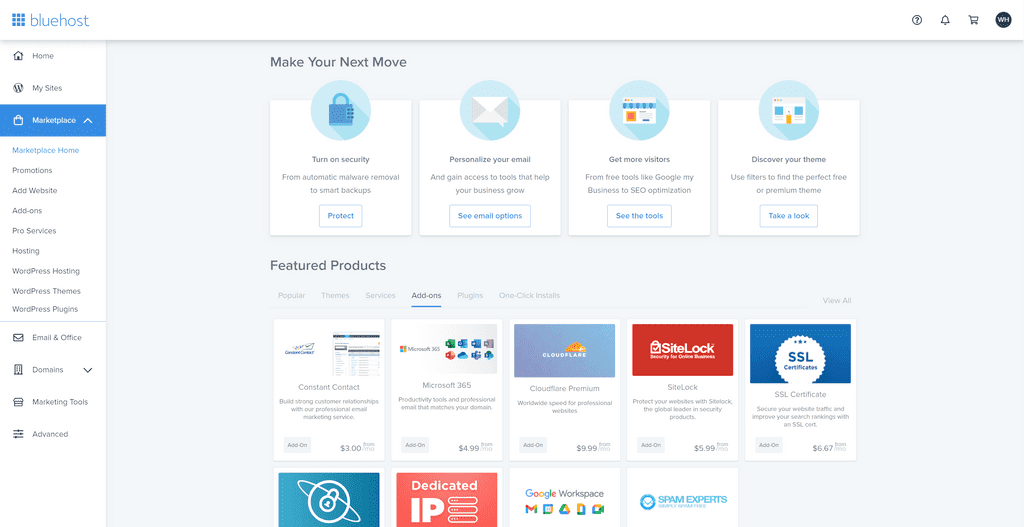
It’s nearly impossible to discuss web hosting without Bluehost coming up in the conversation. Bluehost has been around for nearly 20 years and has dedicated more than 10 years to WordPress hosting specifically.
All of Bluehost’s plans offer unmetered bandwidth, and most have unmetered storage. This is especially helpful if you’re just starting out and don’t know how much of those you’ll need. In Bluehost’s terms of service, there are some provisions on what “unmetered” means. Primarily, Bluehost would take action if someone were to abuse the unmetered resources in such a way that disrupts other Bluehost customers.
I set up a basic shared hosting plan for testing and installed WordPress. Everything was easy to install and worked as expected.
Who is Bluehost best for?
Bluehost’s recent partnership with Yoast will help ensure your site is discoverable on all the top search engines by providing excellent SEO. If you expect your main traffic to come from search engine results, Bluehost may be the best hosting provider for you.
Recent upgrades to Bluehost
Bluehost is always on the lookout for how to improve its system and its customers’ lives. Newfold Digital (Bluehost’s parent company) recently entered into a partnership with Yoast, the WordPress SEO plug-in. Beyond that, Bluehost revamped its WordPress setup wizard with new design options to help get your site set up as quickly and cleanly as possible.
Bluehost pricing
Bluehost has many pricing tiers. If you purchase a year in advance, the first year of shared hosting on Bluehost’s Basic plan will cost $2.95 per month. After the introductory period, this price goes up to $10.99 per month. For comparison, a year of Bluehost’s most expensive Dedicated hosting plan will cost you $259.99 per month after the introductory period.
| Web host | Starting price | Best features |
|---|---|---|
| Hostinger (4.8)
Best overall Why it’s best overall: Hostinger’s combination of a low introductory price, affordable renewal cost, solid support, and super fast response times makes it the best overall, especially for a small business. | $1.99 per month |
|
| SiteGround (4.7)
Best for beginners | $2.99 per month |
|
| DreamHost (4.6)
Best for shared WordPress | $4.95 per month |
|
| Cloudways (4.5)
Best for multi-cloud hosting | $10 per month |
|
| Nexcess (4.4)
Best for managed WordPress hosting | $19 per month |
|
GreenGeeks (4.3) Best eco-friendly web hosting | $2.95 per month |
|
| A2 Hosting (4.1)
Best for customizations | Shared hosting plans starting at $2.99 per month |
|
| IONOS (4.1)
Best for personalized support | Shared hosting plans starting at $1 per month |
|
| Bluehost (4.0)
Best web hosting for SEO | Shared plans starting at $2.95 per month |
|
| InMotion Hosting (4.0)
Best for fast storage | Shared hosting plans starting at $3.49 per month |
|
One of the best ways to gather insights about different providers is by reading web hosting reviews. These reviews provide valuable feedback from real users, allowing you to gauge the quality of service, reliability, and customer satisfaction offered by each provider.
In addition to reading reviews, evaluating the key features and factors that can impact your hosting experience is crucial:
These are popular types of web hosting:
Consider your website’s needs, growth projections, and technical requirements when choosing the best hosting type.
Shared hosting is usually the cheapest type of web hosting, often beginning at under $5 per month. But it has some disadvantages, like other sites on the same server affecting your site’s performance.
While affordability is important, it’s essential to consider the specific features, performance, and support offered by each provider. Consider hosting plans that balance price and features.
Yes, free web hosting services are available, but come with limitations. When you choose free web hosting, you’ll have to deal with restrictions and trade-offs, such as limited storage space, bandwidth, and lack of advanced features.
Free web hosting can be suitable for personal projects, small blogs, or testing purposes, but it may not be ideal for businesses or websites with high traffic and specific requirements. If you’re considering free web hosting, look at the limitations and potential trade-offs and assess whether it aligns with your website’s goals and long-term needs.
Many web hosting providers offer discounts and promotions to attract new customers or reward loyal ones. These discounts can help you save money on hosting plans and additional services. Here are a few ways to find web hosting discounts:
Read the terms and conditions associated with the discounts or promotional offers, including the discount duration, renewal pricing, and any applicable restrictions. These discounts can help you save money while still receiving quality hosting services.
I rated web hosting services on specific plans and prices, what features are offered, the performance of a hosting company, what type of security is included, and whether the hosting provider is engaging in ongoing improvements.
I signed up for a plan with each provider to test:
When testing hosting providers, I set up a default installation of WordPress, utilizing the default theme. I tested the speed, then verified the site’s performance, both from my personal experience as well as several industry standard tools. Each hosting provider is rated in six categories and an overall score is calculated from the average of the category scores.
Every web hosting provider here is tested both objectively and subjectively. For the subjective tests, we have a standardized set of qualities any web hosting provider must have to achieve a specific rating. A plan was purchased from each of these providers and I utilized each provider’s tooling and tested their support according to the same standard.
This information was combined with objective testing around website speed and responsiveness, as well as some aspects such as support response time. Historical uptime and performance data were also utilized to form a more complete picture of how each hosting provider performed.
When we tested our trial plans’ speed, they were tested on the provider’s least expensive hosting plan with a default installation of WordPress. The TTFB was then calculated from each provider’s performance test and used to determine each web host’s performance rating.
Learn more about our review methodology.